
Sort photos at
the speed of thought
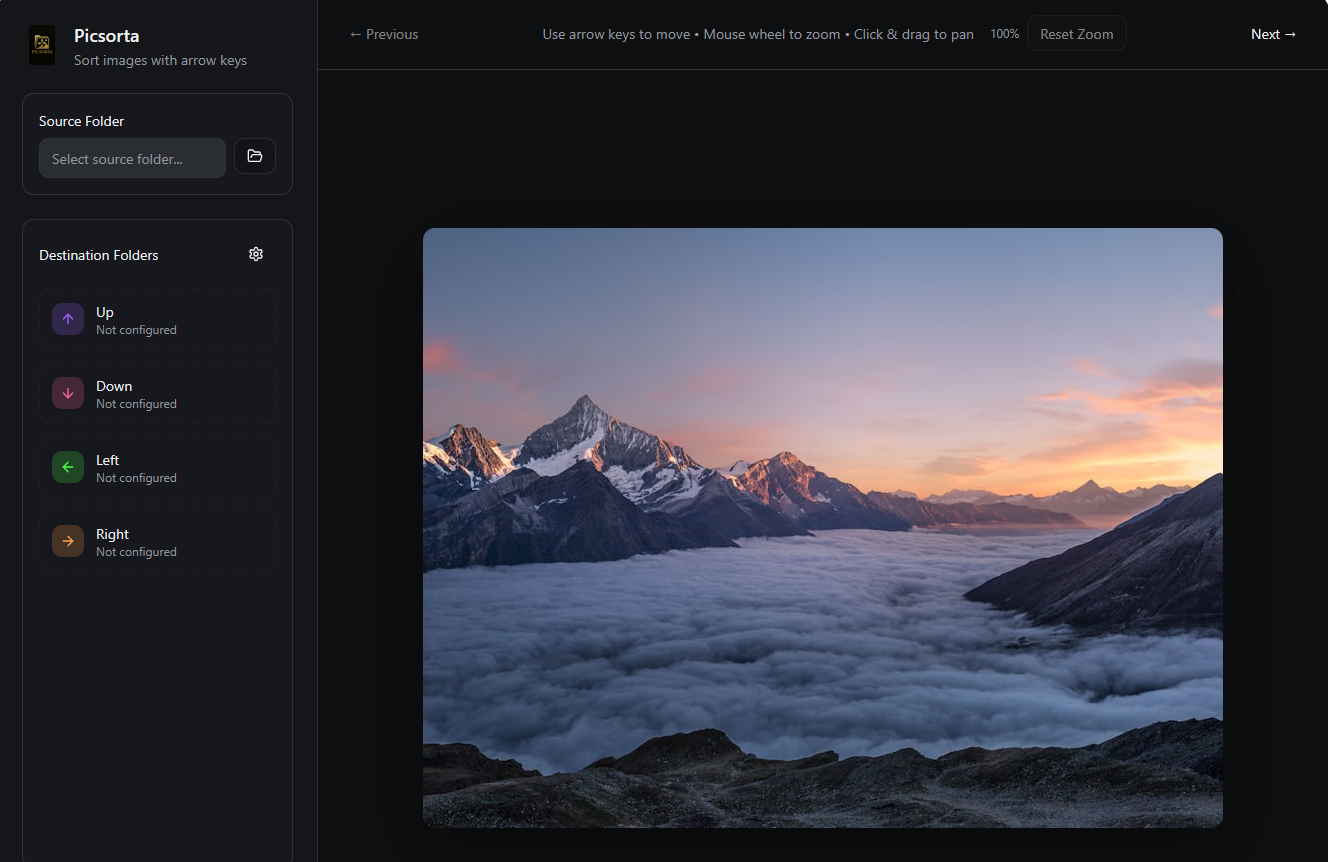
Picsorta lets you fly through large photo sets using the arrow keys. Assign destination folders, zoom & pan to inspect details, and watch your library snap into order — all in your browser.
Works locally in your browser. Your images never leave your device.
The fastest way to organize your image library
If you've ever come back from a trip, a photoshoot, or a busy week and found yourself staring at a folder with hundreds — or thousands — of unsorted images, you know the feeling. Sorting photos is one of those tasks that everyone puts off because traditional methods are painfully slow. Dragging and dropping files one by one, opening each image in a viewer, right-clicking to move... it all adds up to hours of tedious work.
Picsorta was built to solve exactly this problem. It's a free, browser-based tool that lets you sort images into up to four destination folders using nothing but your keyboard's arrow keys. Each key is mapped to a folder of your choice — press an arrow, and the current image is instantly moved to the corresponding folder. The next image loads automatically, and you keep going. No dialogs, no confirmation prompts, no wasted clicks.
What makes Picsorta different from other image organizers is its focus on speed and simplicity. There's no learning curve, no complicated tagging systems, and no database to manage. You select a source folder, assign your destinations, and start sorting. Most users find they can process several hundred images in just 10 to 15 minutes — a task that would take over an hour using traditional file management.
Because Picsorta runs entirely in your browser using the File System Access API, your images never leave your computer. There's no upload step, no cloud storage, and no server processing. The tool reads images directly from your local disk, displays them on screen, and moves them to local destination folders. This makes Picsorta not only fast, but also completely private and secure.
A photo sorting tool designed for flow
Every detail is built to keep you in the zone — from keyboard-first interaction to instant visual feedback.
Arrow-key sorting
Map ↑ ↓ ← → to destination folders and file images with a single tap. No menus, no friction.
Zoom & pan
Mouse wheel to zoom toward cursor, click & drag to pan. Inspect fine detail without leaving your flow.
Browser-native
Runs in Chrome, Edge, or Brave — no installation required. Uses the File System Access API for direct folder access.
Undo anytime
Made a mistake? Press Ctrl+Z to instantly move the image back to its original folder.
Lossless moves
Picsorta moves original files between folders. Your pixels stay untouched — no compression, no copies.
Private by design
Everything happens locally in your browser. No server uploads, no cloud, no tracking of your images.
Organize photos into folders in seconds
No accounts, no downloads, no setup wizards. Just open and sort.
Pick a source folder
Select the folder that contains the photos you want to sort. Picsorta scans it for all common image formats including JPG, PNG, WebP, GIF, TIFF, AVIF, and more.
Assign destinations
Map each arrow key to a target folder — e.g. ↑ "Best", ↓ "Delete", ← "Maybe", → "Family". You can change these at any time during your session.
Sort with rhythm
Press an arrow key to instantly move the current image. Zoom in with the mouse wheel to check details, then keep going. Flow state unlocked.
→ /Best→ /Trash→ /Review→ /FamilyReady to sort?
Open Picsorta in your browser and start organizing your photos right now. It's free — no sign-up needed.
Open PicsortaWorks in Chrome, Edge & Brave · No installation needed
Guides & how-tos
Learn how to get the most out of Picsorta — step by step.